
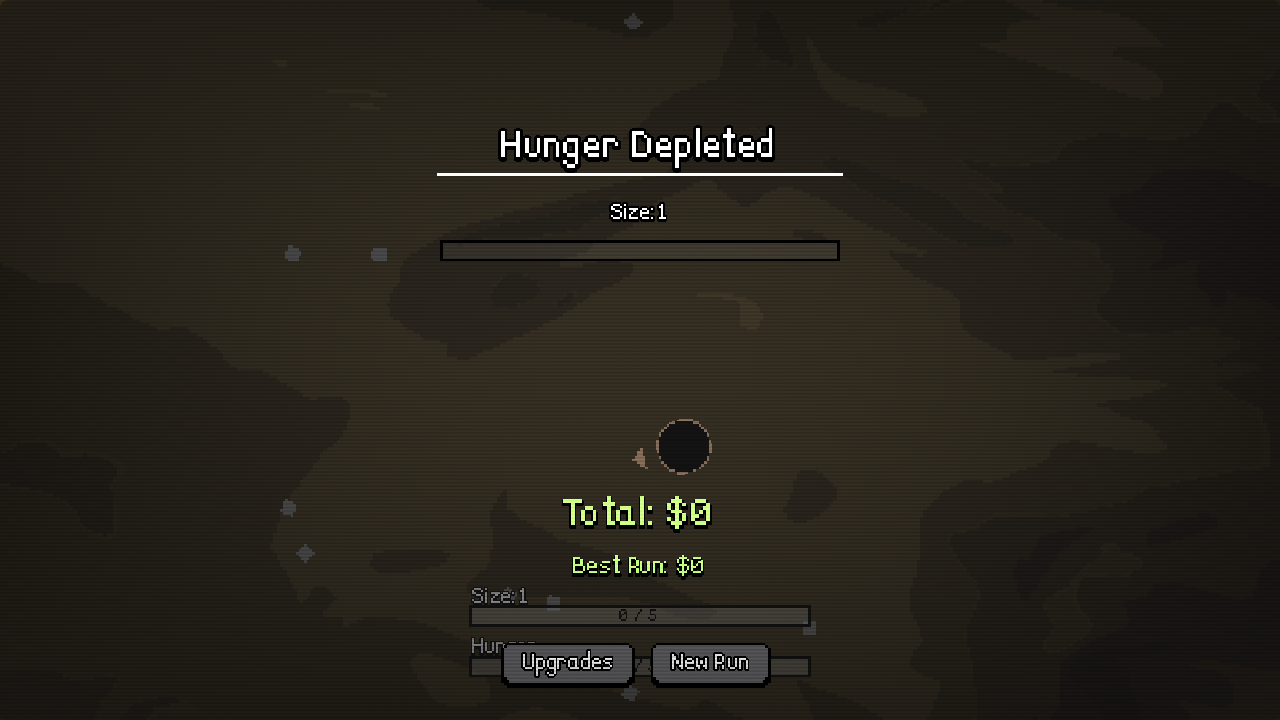
Separate a run ending from a performance problem, and protect your save while investigating either one. Hunger Depleted is a normal result screen in the observed demo. Lag, missed input and a save that appears different are separate symptoms; deleting progress is not the first diagnostic step for any of them.
The developer's early v0.2 update specifically addressed crowded-scene performance and added a main-menu save-deletion button. That establishes an early update, not a guarantee that every later build is free of stutter. Use the steps below to identify the edition, screen and timing of the problem before changing your save.
When crowded scenes slow down
First note whether the slowdown starts when many objects are visible, during a Size change, or as soon as the menu loads. These are different observations. Record the current Size and edition, then compare an opening run with the crowded point if you can do so through normal retry controls.
For the browser edition, reduce competing work such as other busy browser tabs and check whether the game has focus. For an installed build, compare the game by itself with your usual background applications. These are general performance checks, not a verified list of game-specific graphics settings. This guide does not invent a texture-quality or particle slider that has not been observed.
The developer's v0.2 note says the build was optimized for later scenes with many objects. If you are using an old downloaded showcase, compare the version with the developer's current download. Do not assume an old comment about a laggy demo describes the current Steam edition.
Hunger ending is not a crash
The observed result screen says Hunger Depleted and provides Upgrades and New Run. If that screen appears normally and the buttons respond, you have evidence of a finished attempt rather than a process crash. Use the run-loop guide to investigate why Hunger emptied.
If the game disappears, becomes unresponsive, or never reaches the result screen, describe that different behavior. Note whether menus still work, whether sound continues and whether the same point fails again. A clear report distinguishes a slow scene from an input-focus issue or an application exit.
Retry without deleting progress
New Run is the normal retry option on the inspected end screen. Upgrades returns to progression choices. The early main menu's Delete Data button is a different action, and the developer's patch note confirms save deletion was deliberately added. Do not use it merely to repeat an attempt or close a result screen.
If you intend to start fresh, first make sure you are comfortable losing that edition's progress. This page has not tested a recovery mechanism after deletion and does not promise that a cloud save will restore it. Do not treat the website's Reset checklist button as a game-reset control either: it clears only the local marks on this website.
Apparent save differences between editions
The itch showcase, Steam demo and full Steam game are distinct entry points. This guide does not confirm save transfer among them. When a new edition starts at a different point, identify both editions before deciding that your previous progress was erased. Keep the previous installation or save intact while checking the developer's current guidance.
A result screen showing a lower Total than Best Run is also not sufficient evidence of lost progression. Those values serve different purposes. Use the object and result guide to read the screen before comparing it with your actual upgrade state.
What to include in a useful report
- Edition and version, if the game displays one.
- The screen, Size and action immediately before the issue.
- Whether controls, sound and menus still respond.
- Whether it happens again during a normal retry.
- A screenshot or a short description of the exact message.
Use the developer's itch.io page for the early showcase or the Steam community for the Steam game. This independent guide does not receive crash logs or operate official game support.